Microsoft Azure
Benchmarking study: enhancing security and streamlining Azure Networking
Project Overview
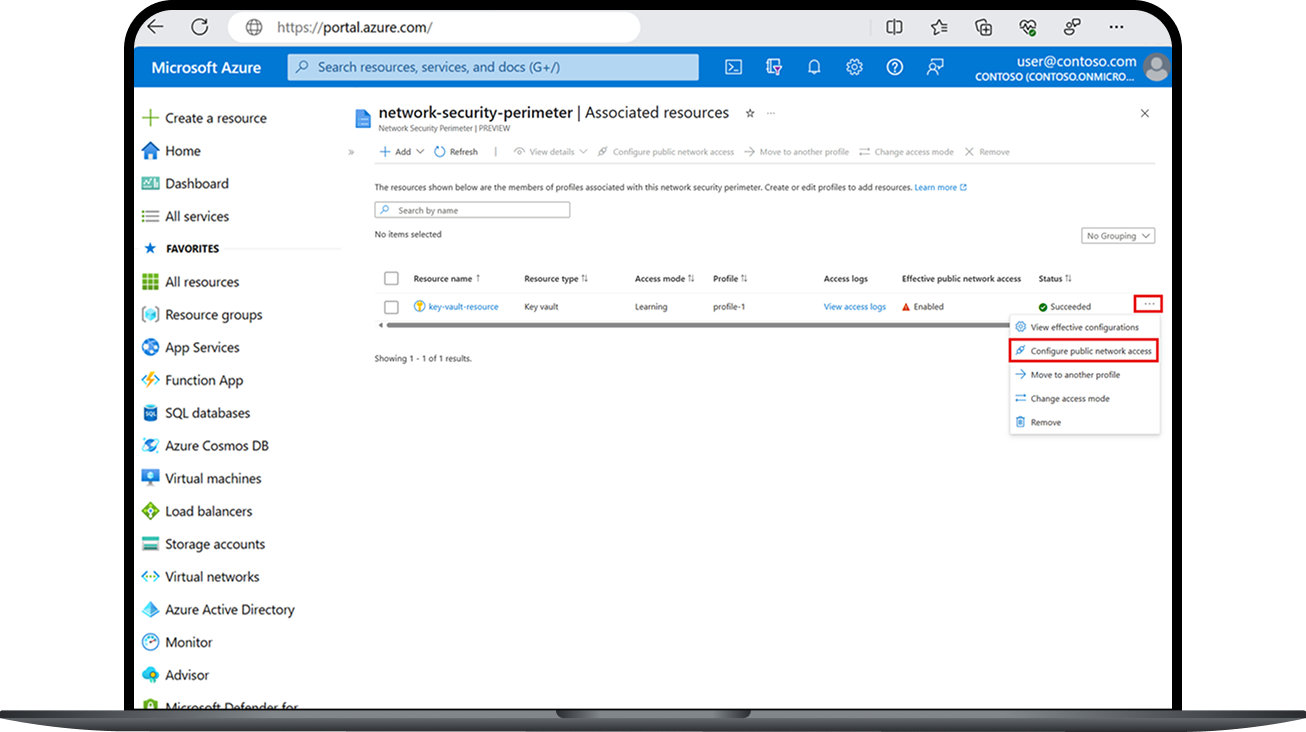
Network Security Perimeter (NSP) is a cloud security service that helps organizations configure network controls to protect their infrastructure. The purpose of this research was to establish the product’s first usability baseline — giving the team a clear, measurable understanding of how well core workflows supported real users and where improvements were most needed.
I partnered closely with design and engineering to evaluate seven key NSP tasks through remote user sessions, capturing both behavioral patterns and attitudinal feedback. This baseline created the foundation the team now uses to guide design decisions, prioritize fixes, and track usability improvements over time.
Research Goals
Establish baseline usability benchmarks 📈
Collect quantitative and qualitative metrics to create the first standardized measure of NSP’s user experience, enabling year-to-year tracking of design improvements.
Diagnose friction points in core workflows 🛠️
Identify specific usability issues that hinder task completion, efficiency, and user satisfaction across 7 key NSP tasks.
Uncover opportunities for design enhancement 💡
Explore patterns in user behavior and feedback to highlight areas where improved functionality, clarity, or visual design could elevate overall product experience.
Methodology
We grounded this benchmarking study in prior Jobs to Be Done (JTBD) research, using those insights to define seven core NSP tasks that reflected real user goals rather than arbitrary workflows.
Why benchmarking?
As a new product, NSP had no existing way to measure usability or track improvements over time. Benchmarking provided a structured, repeatable method for establishing baseline performance—capturing quantitative metrics the team could monitor as the product evolved.
Methodology
I interviewed 16 external networking professionals from a global audience, each with varying levels of Azure Networking experience. This ensured the study reflected the perspectives of real practitioners who work with network security workflows in their day‑to‑day roles.
All sessions were conducted remotely. Participants completed the seven core tasks and then filled out short surveys, including the System Usability Scale (SUS), to capture standardized usability metrics. Throughout each session, I collected screen recordings, Teams Forms data, and observational notes to support later analysis.
Quantitative Data Collected 📊
Time on Task for each workflow
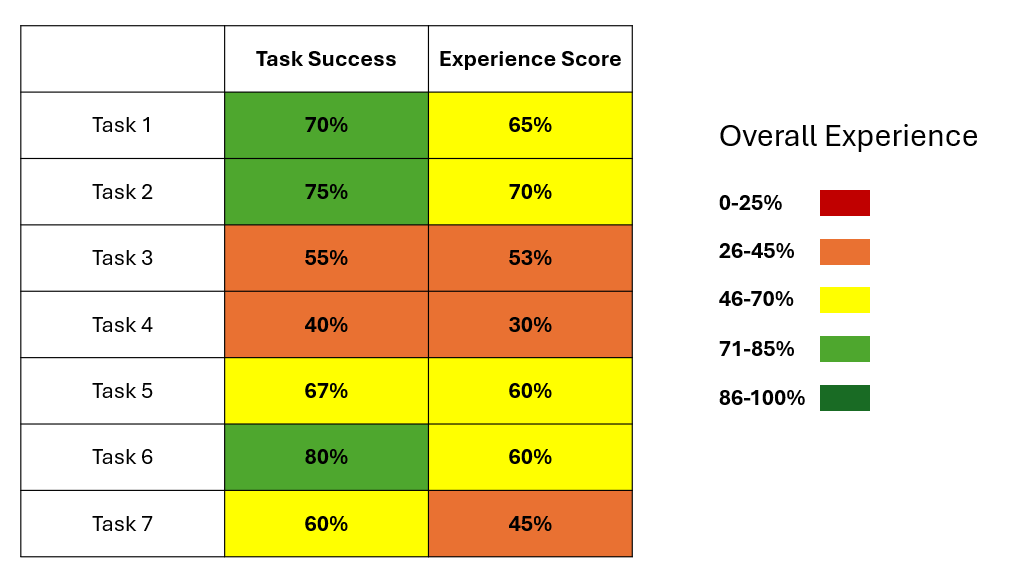
Experience Score Survey, measuring five dimensions of usability:
Overall experience
Ease of use
Functionality
Visual appeal
Performance
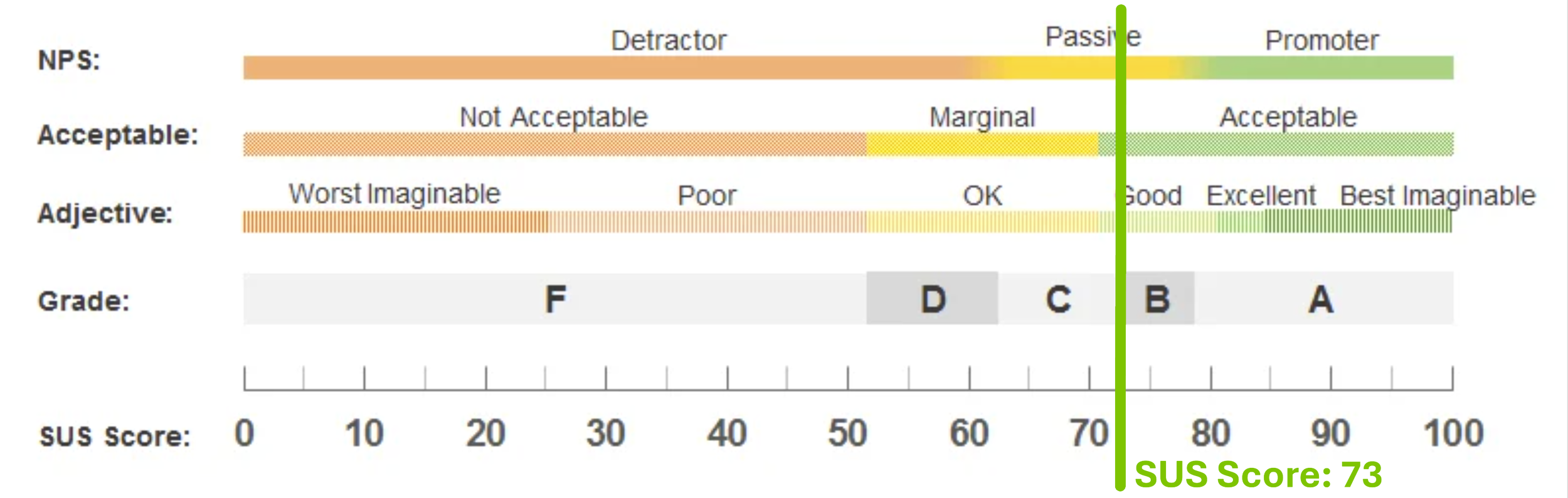
System Usability Scale (SUS), capturing perceived usability
10 standardized statements (a mix of positive and negative)
Qualitative Data Collected 📝
Observed delighters, pain points, navigation, and workflow breakdowns
Participant commentary on clarity, expectations, and satisfaction
Debug/repro notes captured in collaboration with engineering
Key Insights
⚠️ Note: all data shown is illustrative and does not reflect real user results
Deliverable 1: SUS Baseline Score for NSP
Deliverable 2: Experience Scorecard (Task success + Experience Score)
Deliverable 3: Task-level pain-point summaries
Task 5: Example Breakdown
Performance Summary
Task success: 67%
Experience Score: 60%
Time on Task: 1:42 min
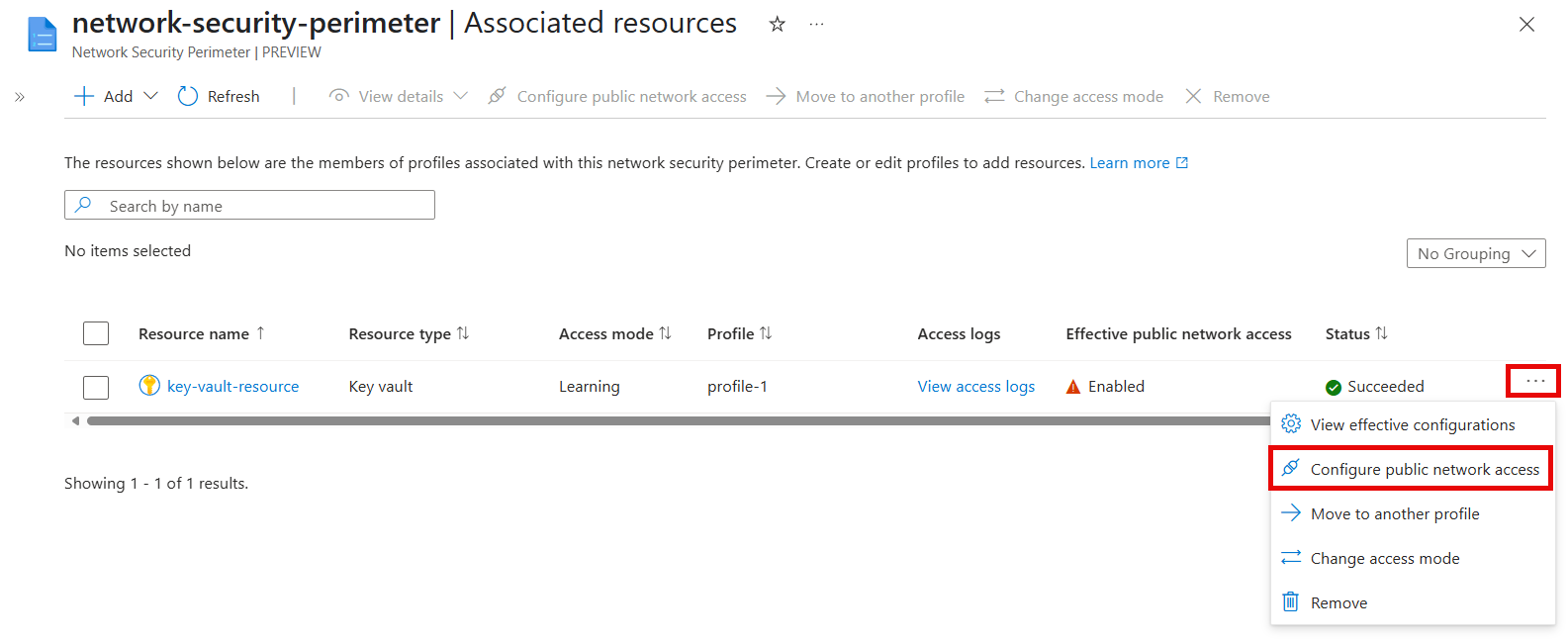
Pain Points
Users struggled to locate the Configure button
Low ratings on Ease of Use and Visual Appeal
Impact
This study created the first usability baseline for Network Security Perimeter (NSP) and gave the team clear, evidence based direction on where to focus improvements.
Key Outcomes
Prioritized redesigns for low-performing tasks, based on success and experience scores
Informed design decisions around layout, labeling, and information hierarchy
Aligned PM, design, and engineering around a shared understanding of user pain points
Enabled engineering to reproduce issues quickly using task-level breakdowns
Established a repeatable benchmarking framework the team now uses to track UX health over time